Unity AI Enters Open Beta with Integrated Game Creation Tools
The game engine giant Unity has officially pushed its AI suite into Open Beta, marking a significant shift in how developers might approach game creation. The announcement, posted directly to the Unity Discussions forum, confirms availability for all developers running Unity 6 and above. This isn't just another chatbot slapped into the editor—it's an integrated agentic system designed to execute multi-step tasks across code, assets, and scene construction.
At its core, Unity AI offers three main components: an in-project agentic assistant, an AI Gateway for third-party model integration, and an MCP (Model Context Protocol) server for IDE connectivity. The assistant itself operates in three modes—Ask, Agent, and the newly added Plan Mode—which attempts to convert loose design ideas into structured implementation plans before any code is written. This distinction matters because most generative AI tools jump straight to execution without architectural consideration (a problem that has plagued users for years, frankly).
The pricing structure reveals Unity's commercial intent. Personal Edition users must start a free trial granting 1,000 credits for 14 days, then subscribe at $10 monthly for 1,000 credits. Pro, Enterprise, and Industry subscribers receive these features bundled into existing seats. Credits are consumed per task, and bundles can be purchased separately if monthly allocations run dry. The official Unity AI features page documents the full pricing breakdown and credit mechanics.
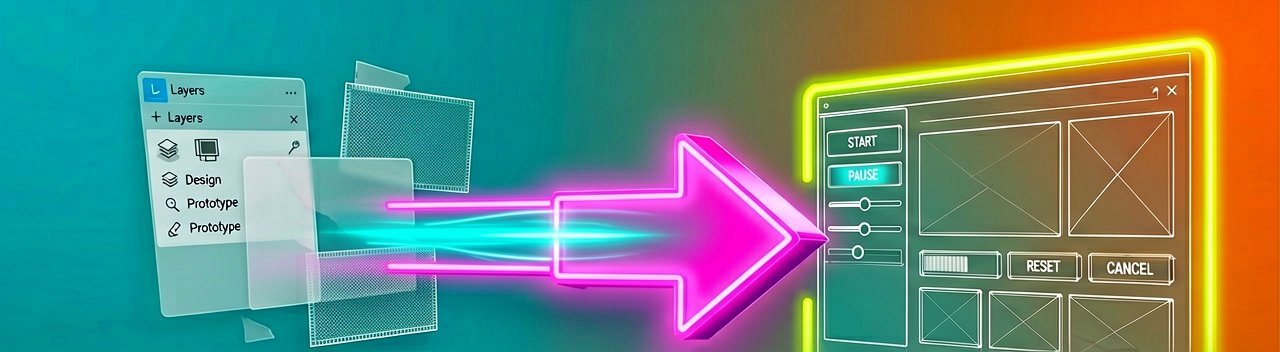
Feature-wise, the system can generate placeholder materials, sounds, cubemaps, and 2D/3D assets directly within the editor. More notably, it includes a Figma-to-UI workflow that converts design files into production-ready Unity UI in a single conversation. Users paste a Figma link, select a screen, and the assistant pulls visual assets, captures reference screenshots, and generates UI Toolkit or uGUI code with all assets already connected. No manual exports. No guessing at spacing. Just Figma in, playable UI out.
Physical interaction with these tools changes the development experience. Instead of clicking through menus to configure animation state machines or behavior trees, developers describe the desired outcome in natural language. The agent executes complex changes across different architecture parts, then verifies results directly in the editor before handing work back. Checkpoints allow rollback across both code and assets, giving space to experiment without fear of breaking other systems.
However, the "make game" button framing from GamingOnLinux raises legitimate concerns. The outlet notes that Unity's AI policy page clearly states it uses Google Gemini, bringing standard generative AI copyright questions to the fore. Who owns the code and models it generates? Who understands what was created? If developers are just entering prompts, what are they actually learning?
The transition from "asset flips" to "AI flips" is already being joked about in developer circles. Creating games faster is one thing, but doing so without understanding the underlying systems or artistic intent behind them creates a different problem. The agent can set up scenes from image references, drop in primitives, and add them straight into projects—but refinement still requires human oversight. The physical reality of debugging AI-generated code that doesn't match your mental model is frustrating in ways that hand-written code rarely is.
Unity's agent has been specially tuned for Unity-specific workflows, grounded in project context. This means more relevant answers, better task execution, and fewer retries compared to general-purpose frontier AI models. The agent can profile performance bottlenecks, analyze Profiler captures for instant optimization suggestions, and help troubleshoot animation state machines more quickly. It also automatically tags generated assets, making them easy to audit and replace before shipping.
For teams already using third-party AI subscriptions, the AI Gateway allows connection of preferred agents directly into Assistant via Project Settings. The MCP Server bridges Unity from IDEs or preferred applications, offering performance claims that exceed open-source alternatives. These integrations mean developers don't need to abandon existing workflows—they can plug their current tools into Unity's ecosystem.
Installation requires Unity 6 or greater from the release archive or directly in the Hub. The AI button in the Editor installs the Assistant package, though some users may need to follow documentation instructions to install via Package Manager if the button doesn't appear. Projects must also link to Unity Cloud for full functionality. The barrier to entry is low, but the learning curve for effective use remains substantial.
Whether this actually improves game quality or just accelerates mediocrity remains the real question. The technology works as advertised, but the industry impact depends on how developers integrate it into their workflows. Teams that use it as a productivity multiplier will see gains. Those that treat it as a replacement for fundamental understanding will ship broken games faster. Time will tell which approach dominates the market.
Artūras Malašauskas is an AI Systems Integrator with 20+ years of production-grade web engineering experience. He has designed, shipped, and scaled enterprise Python/PHP systems for logistics, SaaS, and public-sector clients. For the past year, he has focused exclusively on AI integrations: deploying open-source LLMs, building generative media pipelines (image, audio, video), and engineering multi-agent workflows for real production environments. His standard: reproducibility, security, cost-efficient inference—no vaporware. He documents and evaluates emerging AI tooling, separating verified capabilities from marketing noise. Technical editor at: muza-ai.eu, ai-verslas.lt, ai-naujinos.lt Connect on LinkedIn
Comments