Google’s Gemini Just Moved In: The AI Assistant Now Lives Inside Your Docs, Sheets, and Drive
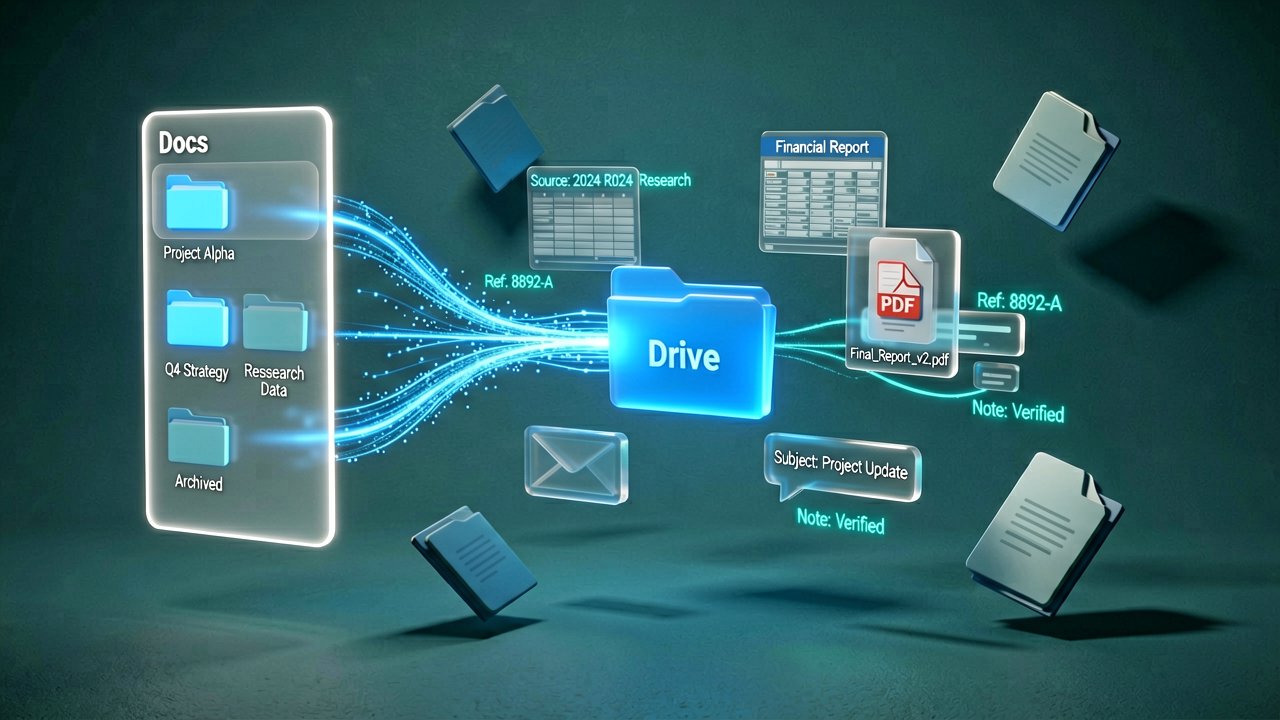
Google is finally making good on the promise of an AI that actually knows you, or at least knows your messy file system. In a significant expansion of its Workspace toolkit, the tech giant has embedded Gemini—its flagship generative AI—directly into the side panels of Docs, Sheets, Slides, and Drive. It’s a move that signals a shift from "AI as a toy" to "AI as a full-time collaborator," and honestly, it’s about time we stopped copy-pasting between browser tabs like it’s 2010. According to reporting from Mashable, these features allow users to generate entire first drafts or complex spreadsheets by pulling data directly from their own emails and files.
The real magic isn't just that it can write a poem; it's that it can draft a newsletter for your neighborhood association using the specific meeting minutes from your January HOA meeting. By bridging the gap between your various "data silos"—Gmail, Chat, and Drive—Google is attempting to create a cohesive ecosystem where the AI doesn't just guess what you want, but actually cites its sources within your own archives. This "Workspace Intelligence" layer is rolling out to Google AI Pro and Ultra subscribers, effectively turning the suite into a proactive helper that understands the context of your projects before you even type the first word.
Writing and Refining Without the Tab-Switching
In Google Docs, the new "Help me create" tool is the star of the show. Instead of staring at a blinking cursor, you can now tell Gemini to build a proposal based on a specific client thread in Gmail. If the initial output is a bit too "stiff," you don't have to start over; you can highlight a section and ask the AI to "make this more professional while keeping it energetic." It's a granular level of editing that feels less like a bot and more like a junior editor who actually listened to your feedback. TechCrunch notes that this ability to refine specific sections without regenerating the whole document is a key efficiency gain for power users.
Spreadsheets and Slides Get a Brain Boost
Google Sheets is getting arguably the most practical upgrade with "Fill with Gemini." If you're building a list of potential vendors, the AI can now pull real-time data from Google Search or your inbox to fill in missing phone numbers, tuition costs, or application deadlines. Meanwhile, Google Slides users can generate individual slides that automatically match the color palette and design of the existing deck. While the "generate an entire presentation" button isn't quite here yet, the current iteration focuses on the heavy lifting of layout and data visualization, letting you worry about the actual delivery of the message.

Drive Becomes a Search Engine for Your Life
Google Drive is shedding its reputation as a digital attic where files go to be forgotten. The new "Ask Gemini" button in Drive acts as a sophisticated search layer that can summarize entire folders of information. Rather than hunting for that one specific tax document from 2024, you can ask Gemini to summarize your tax-related guidance based on all stored files. As highlighted by The Verge, this deep integration is designed to keep users within the Workspace environment, providing "AI Overviews" at the top of search results that cite the specific files used to answer your question.
The Strategic Play Behind the Side Panel
Beyond the Interface: This rollout isn't just about adding a clever chatbot to the margin of your screen; it represents a fundamental re-architecting of how we interact with professional data. For years, the "walled gardens" of individual apps meant that your data in Sheets couldn't easily talk to your narrative in Docs without significant manual effort. By positioning Gemini as a persistent sidebar across the entire suite, Google is attempting to dissolve those walls. This move is a direct response to the "context switching" tax that costs workers hours of productivity each week, essentially betting that a unified AI layer will keep users from jumping over to competitors like Notion or Microsoft 365.
Industry analysts have noted that this shift also serves as a defensive moat against the rising tide of specialized AI startups. While a boutique AI tool might write a better marketing blurb, it doesn’t have the native, permissioned access to your entire historical Drive archive. Google’s play here is one of convenience and "data gravity." By making the AI an expert on your specific corporate memory—pulling from years of archived PDFs and forgotten spreadsheets—they make the cost of leaving the Workspace ecosystem significantly higher for enterprise clients who rely on that institutional knowledge.
From a technical standpoint, the integration of "Gemini 1.5 Pro" into these side panels is a feat of context-window engineering. Unlike earlier models that could only "remember" a few pages of text, the newer architecture allows the AI to ingest and synthesize vast amounts of information from a user's Drive in one go. This means that when you ask Gemini to summarize a project's progress, it’s not just looking at the document you have open; it’s potentially scanning dozens of related files to find the connective tissue. This capability transforms the side panel from a simple assistant into a high-level project manager that can spot inconsistencies across different file types.

However, the human element of this transition remains the most volatile variable. Seasoned editors and data analysts are quick to point out that "AI-assisted" does not mean "AI-verified." There is a lingering concern among power users that the ease of generating content might lead to a "slop" problem, where the volume of documents increases but the actual quality and accuracy decline. Google has attempted to mitigate this by including "citations" that link directly to the source files in Drive, but the burden of proof still rests firmly on the human user to ensure the AI hasn't hallucinated a budget figure or a project deadline.
Historically, this evolution mirrors the transition from physical filing cabinets to digital folders in the late 90s. Back then, the challenge was simply storing the data; today, the challenge is finding the signal within the noise of over-saturated cloud storage. Google’s vision for Gemini is to act as the ultimate indexing clerk, one that doesn't just know where the file is, but understands what is written inside it. As this technology matures, the "blank page" problem that has haunted writers and analysts for decades may finally become a relic of the pre-AI era.
Ultimately, the success of these features will depend on the fine line between helpfulness and intrusion. Stakeholders at major corporations are keeping a close eye on how these tools handle sensitive internal data, especially regarding the training of future models. While Google maintains that Enterprise data isn't used to train its public models, the psychological barrier of "talking" to one's files is a hurdle many legacy industries are still clearing. For now, the side panel stands as an invitation to work differently, shifting the user's role from a creator of content to a curator of AI-generated insights.
The Paradox of Frictionless Production
The Productivity Mirage: There is a seductive, yet potentially flawed, logic in the assumption that removing the "friction" of creation leads to better work. For decades, the struggle to synthesize data or draft a slide deck acted as a quality filter; the sheer effort required forced a level of cognitive engagement that AI now threatens to bypass. By automating the connective tissue of office work, Google is effectively commoditizing the first draft. We are entering an era where the volume of corporate output could skyrocket while the actual "intellectual per-capita" investment in each document plummets, leading to a feedback loop of AI-generated memos being summarized by other AIs for people who don't have time to read them.
Furthermore, the promise of "unified context" introduces a quiet contradiction in the user experience. Google pitch Gemini as an omniscient assistant that knows your Drive better than you do, yet the utility of that knowledge is entirely dependent on the cleanliness of the user's data. Most corporate Drive environments are not pristine libraries; they are digital graveyards of "V2_Final_FINAL_Revised" documents. If Gemini pulls from an outdated budget spreadsheet to "help" write a new proposal, the speed of the AI doesn't solve the problem—it merely accelerates the propagation of errors. This places a new, invisible tax on the user: the labor of digital housekeeping, which is often more tedious than the writing itself.
There is also the matter of the "Gemini tax" itself. By locking these features behind premium Workspace tiers, Google is creating a tiered class of digital citizenship. Small businesses and individuals who stick to the standard tiers may find themselves competing at a significant disadvantage in terms of pure speed. However, this also creates a curious opening for human-centric brands to market "AI-free" craftsmanship as a luxury. Just as the industrial revolution eventually gave rise to the prestige of the "handmade," we may see a future where the absence of a generative side panel becomes a mark of genuine strategic thought rather than algorithmic mimicry.
Finally, we have to consider the long-term erosion of institutional memory. When an AI can instantly summarize a three-year-old project, the human team no longer needs to actually *know* the history; they only need to know how to query it. This shifts the value of an employee from their experience and internal knowledge base to their ability to prompt a machine. If the "side panel" becomes the primary interface for our professional lives, we risk a future where the collective intelligence of an organization is only as deep as the context window of the model it pays for monthly.
"We’ve finally reached the pinnacle of modern labor: a world where an AI can spend thirty seconds turning a three-word prompt into a ten-page report, so that another AI can spend three seconds turning that report back into those same three words for your boss."
Artūras Malašauskas is an AI Systems Integrator with 20+ years of production-grade web engineering experience. He has designed, shipped, and scaled enterprise Python/PHP systems for logistics, SaaS, and public-sector clients. For the past year, he has focused exclusively on AI integrations: deploying open-source LLMs, building generative media pipelines (image, audio, video), and engineering multi-agent workflows for real production environments. His standard: reproducibility, security, cost-efficient inference—no vaporware. He documents and evaluates emerging AI tooling, separating verified capabilities from marketing noise. Technical editor at: muza-ai.eu, ai-verslas.lt, ai-naujinos.lt Connect on LinkedIn
Comments